
UShop Print and Carry Purchase Order
Use these instructions to order printing services from the Knowledge Commons desk at the Marriott Library. Purchases made with UShop allows departments to pay for posters with a chartfield or departmental purchase cards.
1. Locate the Form
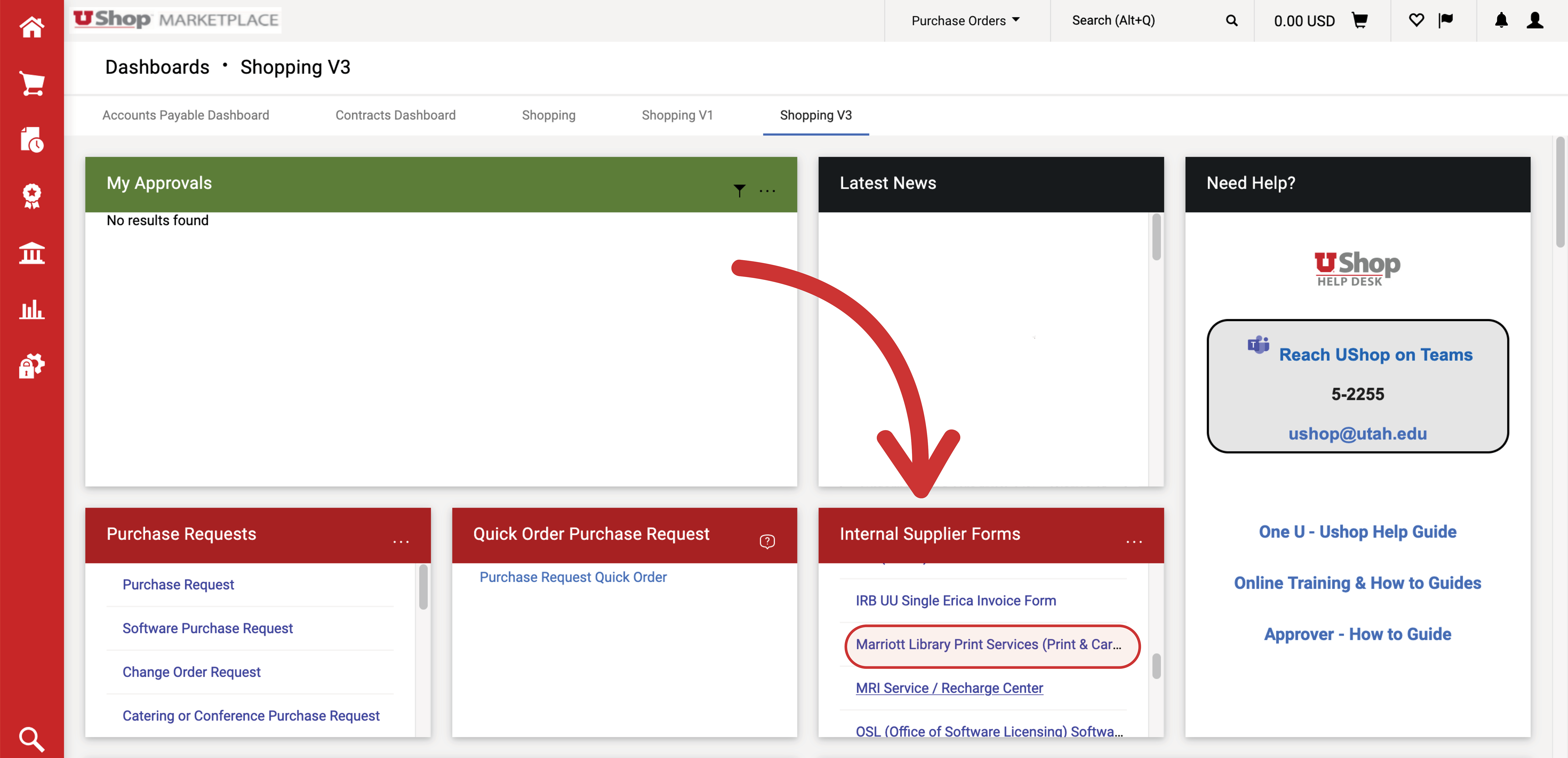
- You will find the Marriott Library Print Services form in the Internal Supplier Forms section of the Shopping dashboard. The UShop Shopping dashboard can be found on the Campus Information Services portal.
2. Complete the form
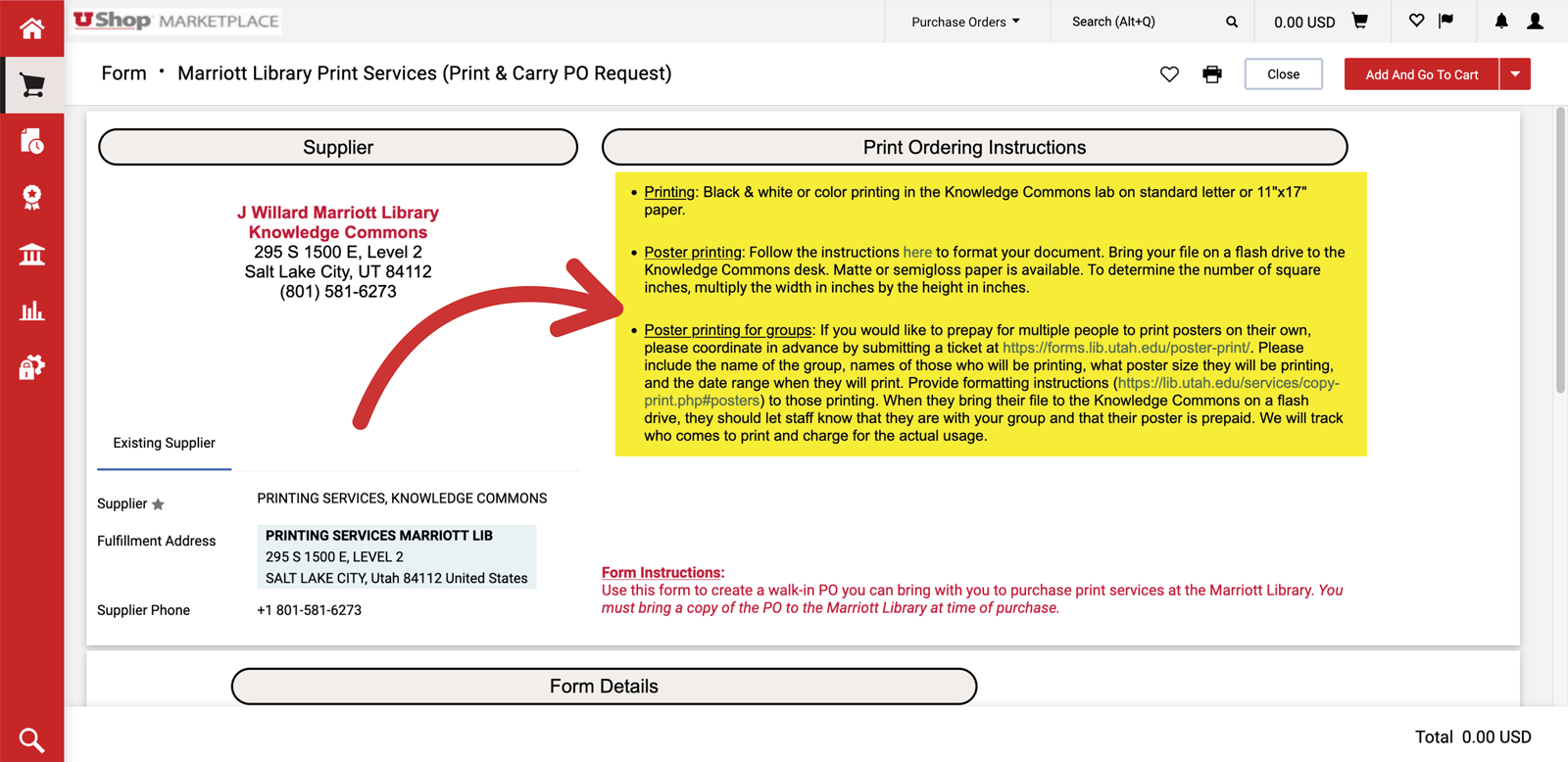
- Please read the print ordering instructions outlined for each available service:
- Printing: Black and white or color printing in the Knowledge Commons lab on standard letter or 11"x17" paper. There is a slight discount for double sided prints.
- Poster Printing: Follow the instructions to format your poster. Matte or semigloss paper is available. To determine the number of square inches multiply the length by the height in inches.
-
Poster Printing for Groups: If you would like to prepay for multiple people to print posters on their own, please coordinate in advance by submitting a poster print ticket. Please include the name of the group, names of those who will be printing, what size of poster they will be printing, and the date range when they will print. Please provide formatting instructions to those printing. When group members submit their poster for print, they should let staff know that they are with your group and that their poster is prepaid. Knowledge Commons will track who comes to print and charge the UShop PO for the actual usage total.
-
Indicate the desired quantity of each item ordered. Note that on the left, the unit is defined, such as: square inch, or per page. On the right, the price per unit is displayed, along with a field where the desired quantity must be entered.
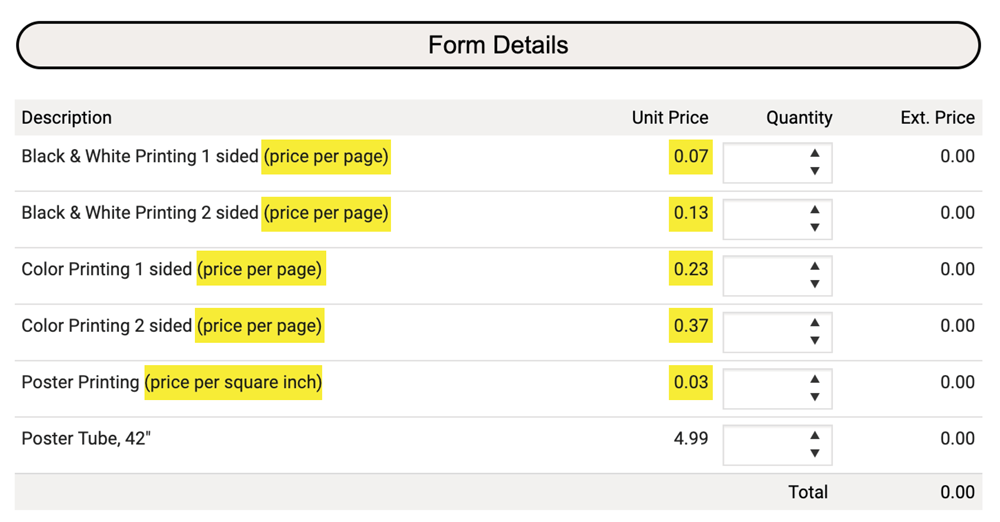 NOTE: Be generous in estimating the quantity. It is good practice to round the estimate up to the nearest whole number. For example, 4.25 square inches should be rounded up to 5 square inches. The Marriott Library will invoice the purchase order for the exact price of the poster.
3. Complete the order in UShop
- When the form is complete, go to the upper right-hand corner and select Add And Go To Cart. Complete as with any other UShop purchase.

4. Print the Purchase Order (PO)
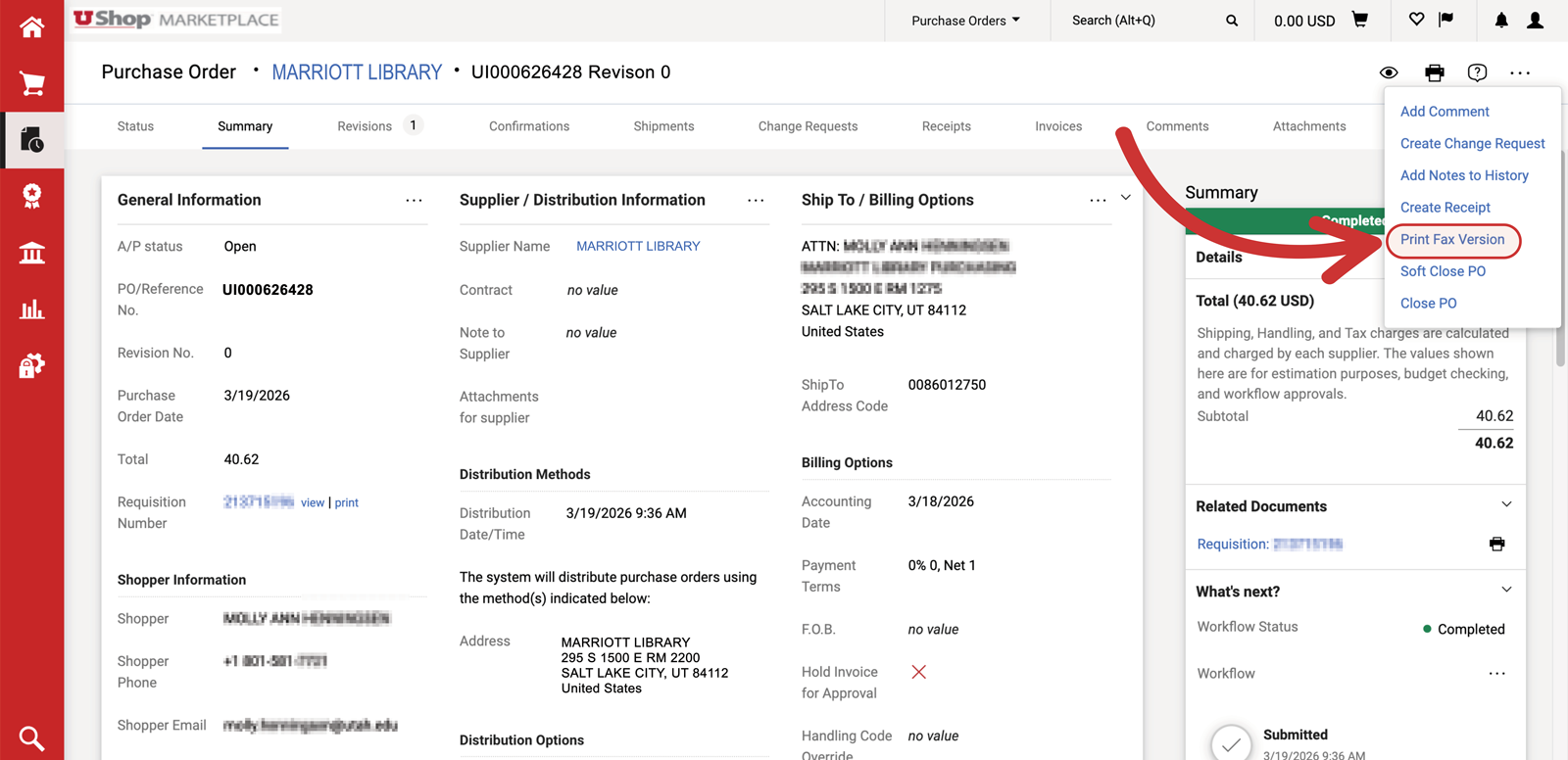
- On the PO, click on the three dots in the top right corner. Select Print Fax Version and print the PO.
5. Carry the PO to the Marriott Library
- Printing service orders are fulfilled at the Knowledge Commons, level 2 of the Marriott Library. The printed PO must be taken to that location at the time you pick up your order. Alternatively, you can include the PO as an atttachment when submitting your poster online.